Tap to Pay on iPhone
Accept contactless payments right on your iPhone.
Tap to Pay on iPhone works with physical debit and credit cards, as well as Apple Pay and other digital wallets. Just open the Fiest POS app and present your iPhone to the customer.

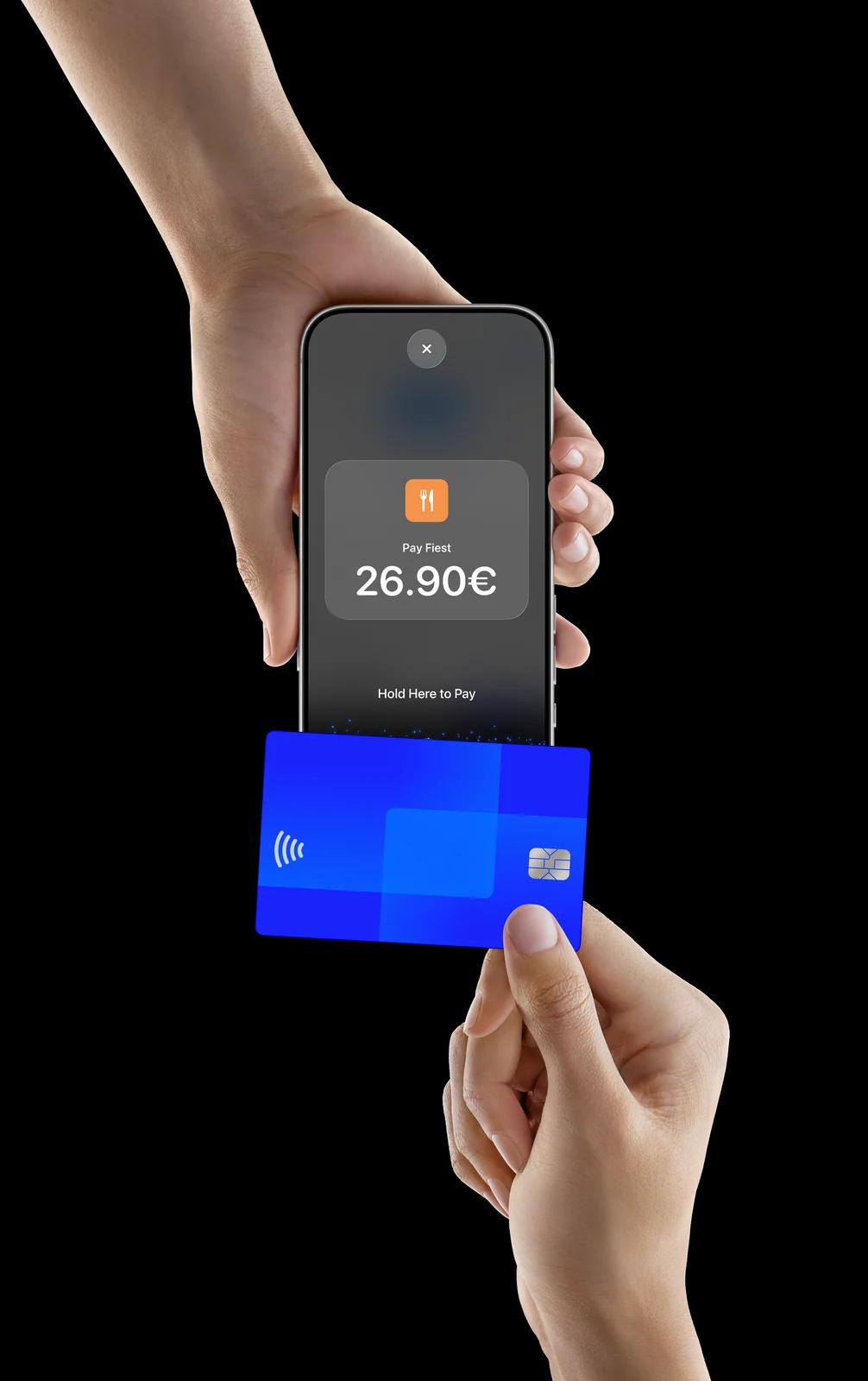


Accepting payments is easy
Open the Fiest POS app on your iPhone, and press Pay in the till.
Present your iPhone to the customer.
Your customer holds their card horizontally or their device at the top of your iPhone, over the Contactless Symbol for a few seconds.
When you see the Done checkmark, the card read is complete and the transaction is being processed.
No terminal needed
With Tap to Pay on iPhone, there's no need for additional card readers and terminals. All you need is your iPhone and the Fiest POS app.
Privacy and security of iPhone built in
Apple doesn't store card numbers or PIN information on Apple servers, helping to protect your business and customer data.*
Paid through SumUp or Viva
Connect the SumUp or Viva account you already have, or open one. We help you set it up when you start, and every sale lands in the till.
Get started with Tap to Pay on iPhone

Tap to Pay on iPhone requires a supported payment app and the latest version of iOS. Update to the latest version by going to Settings > General > Software Update. Some contactless cards may not be accepted by your payment app. Transaction limits may apply. Tap to Pay on iPhone is not available in all markets. For Tap to Pay on iPhone countries and regions, see https://developer.apple.com/tap-to-pay/regions/.
*Encrypted card numbers are temporarily stored on iPhone only for transactions made in Store and Forward mode.
The Contactless Indicator mark, consisting of four graduating arcs, is a trademark owned by and used with permission of EMVCo, LLC.
The Contactless Symbol is a trademark owned by and used with permission of EMVCo, LLC.
Apple, Apple Pay, Apple Watch and iPhone are trademarks of Apple Inc., registered in the U.S. and other countries and regions. App Store is a service mark of Apple Inc., registered in the U.S. and other countries and regions.