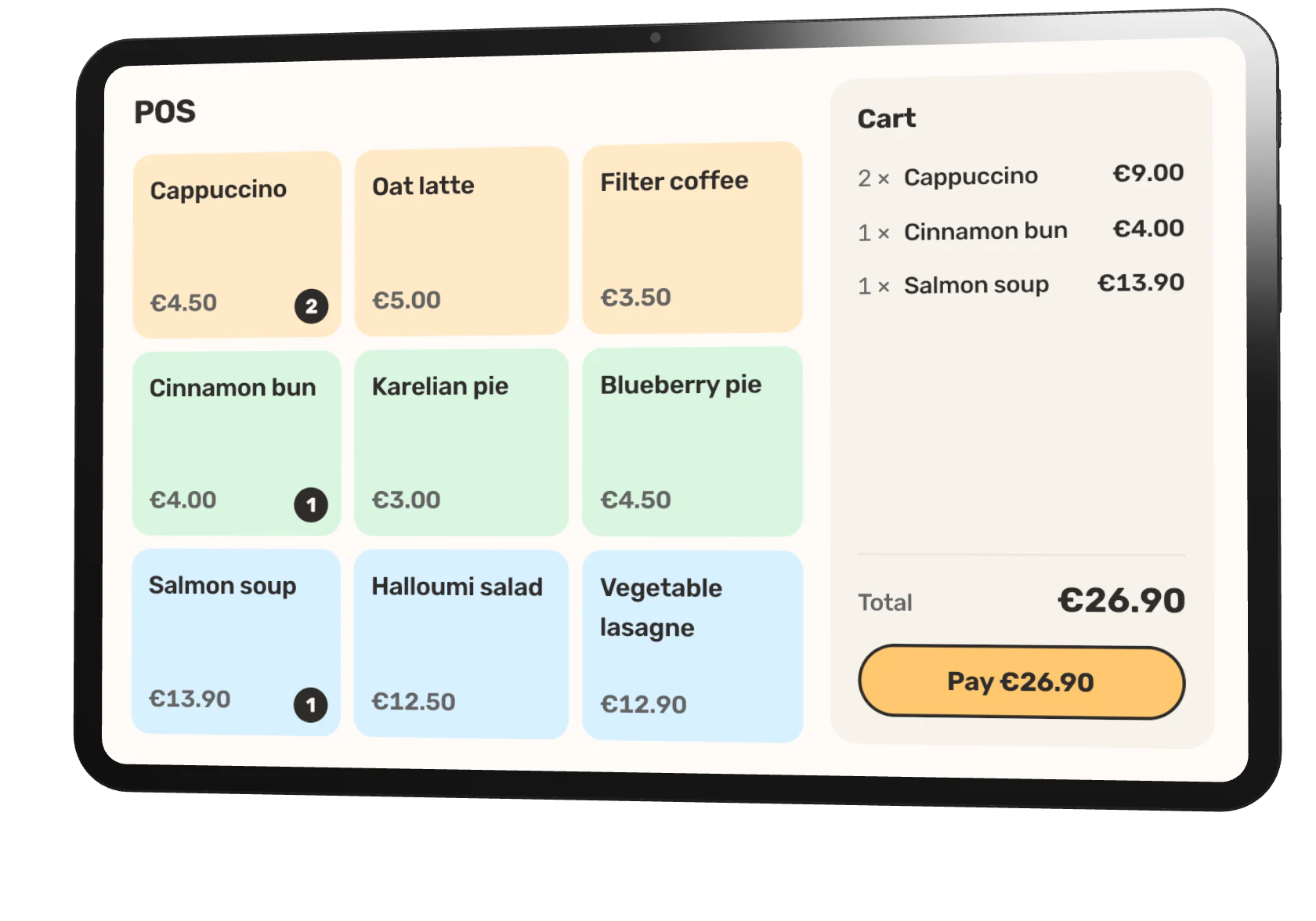
Pickup #21200:24
2 ×Cappuccino
2 ×Cinnamon bun
Start all
Guests can order ahead through your direct channel or scan a table QR code when they arrive. Either way, the order and payment enter the same Fiest service flow.
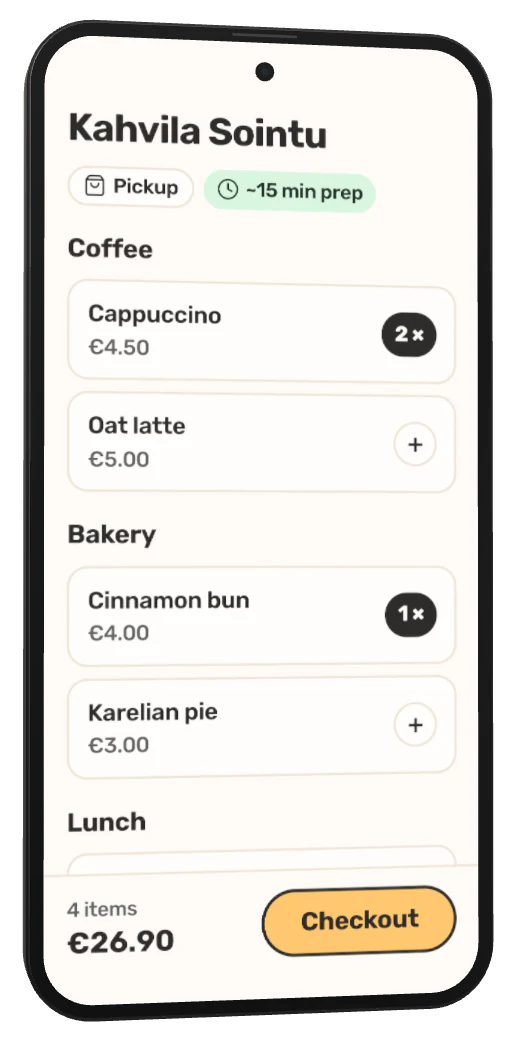
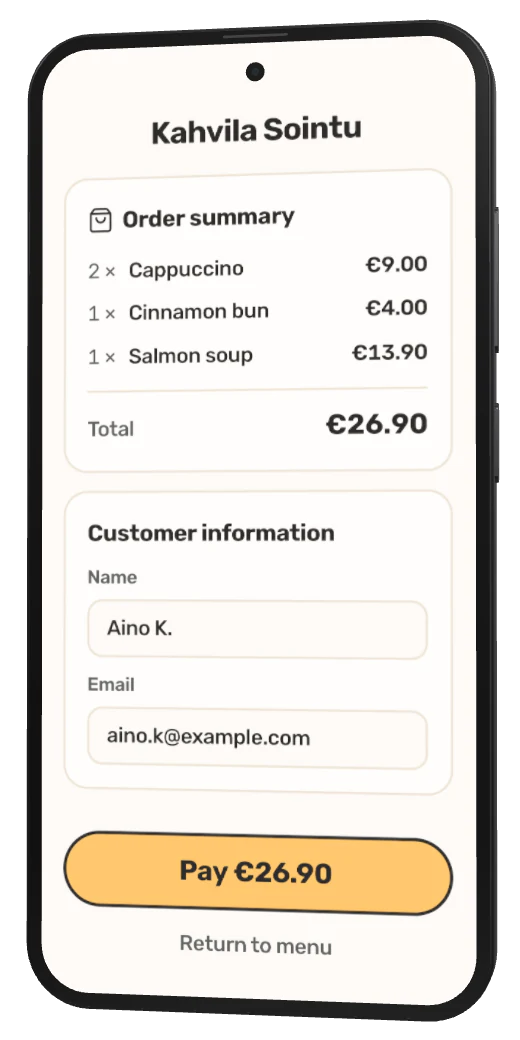
Guests order and pay on their own phone, from your link or a table QR code. The order joins the same service as the till, and the guest sees when it's ready.
Aino opens your ordering link at the office, or scans the QR code on her table. Your menu, your prices and your prep time, in the phone's browser with nothing to download.
Pickup and table orders use the same menu as the till.
Name, email and payment in one short checkout. No orders taken over the phone and no unpaid bags waiting at the counter.
The receipt goes straight to the guest's email.
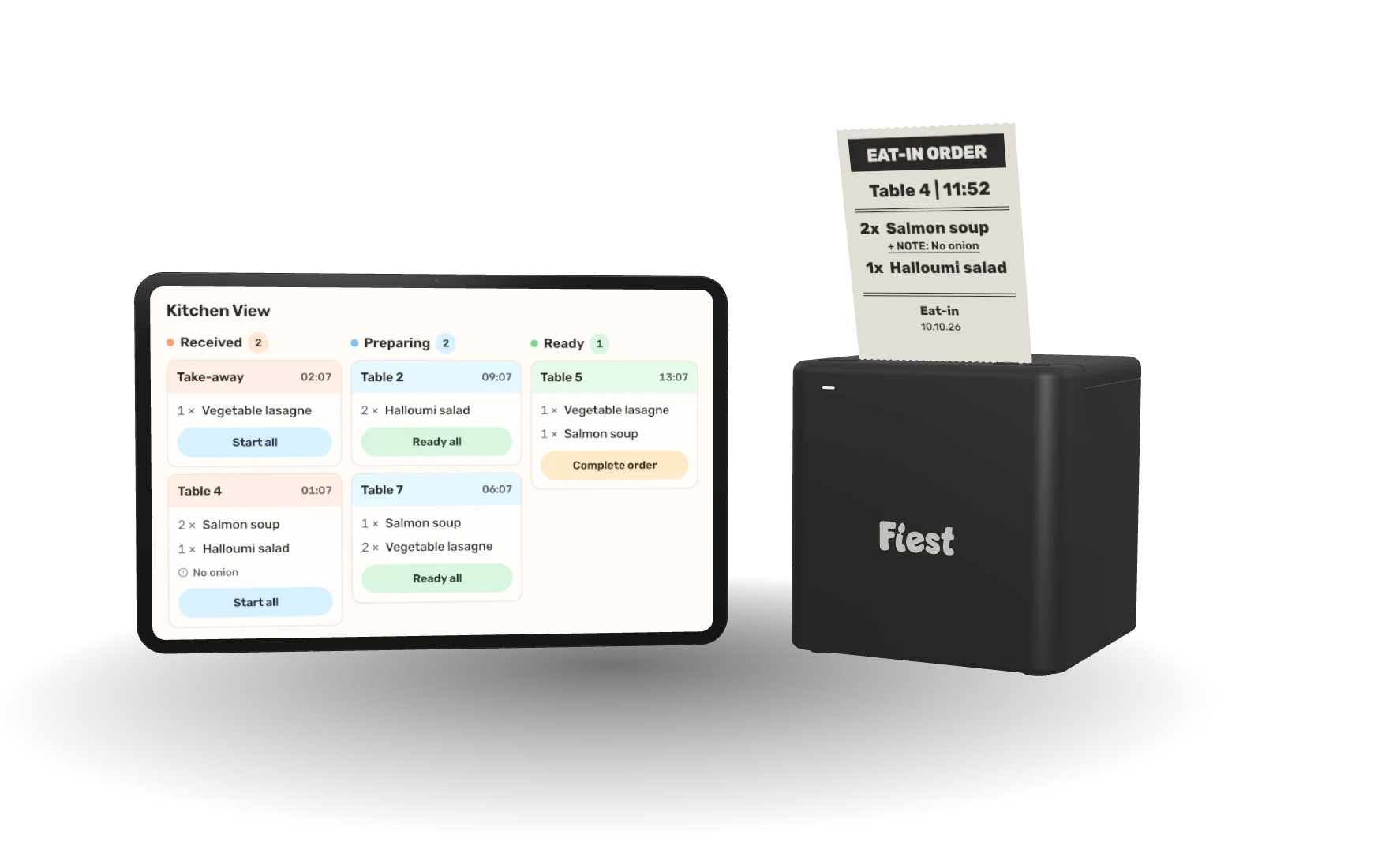
The paid order lands in Kitchen View next to the till's tickets. The kitchen cooks from one queue, whichever channel the order came from.
If an order has to be cancelled, the refund starts from the dashboard.
When the kitchen marks it ready, the status on Aino's phone changes to ready for pickup. She walks in, picks it up and is gone.
The status updates on the guest's phone as the kitchen moves the order along.
Clear answers to the questions restaurant teams ask before changing a live service workflow.
All frequently asked questionsThe same orders, menu and numbers run through every part of Fiest. These are the pages this one leads into.
Orders, payments and receipts from one screen your team learns fast.
Orders reach Kitchen View and the kitchen printer. Each ticket goes from received to ready, and the floor sees when it is done.
End of Day Report, VAT breakdown, payment methods and most ordered items, from live data.
Fiest AI answers from your own sales data and suggests the next move.
Send us your menu and we take care of the rest, whether you are opening or moving off another system.
However you already have it. That is the only thing we need from you.
Products, prices, payments and your team, ready before you open.
Every channel is already in sync, and we stay on the line through your first service.
A short walkthrough shows the POS, Kitchen View, online ordering and reports working together for a restaurant like yours.